Official Claude pluginListed in Anthropic’s plugin directory. Made by FontHound.
A 45.5-second film with music and no speech. An AI offers to let you pick the fonts in FontHound; you pick three for "Launch day." by eye, send them, and the AI builds a launch video in exactly those fonts, ending with "Your video just got designed." The end card: "Help your AI make better videos.", "Your video just got designed.", "Plugin for Claude Code", "Windows and Mac", fonthound.app.
Every AI video ends up with the same few fonts.
It picks the safe one.
Ask for a font and you get the most likely answer. So AI videos look alike.
It can’t see your fonts.
The fonts you installed, bought or activated in Adobe Fonts are invisible to it.
Every option costs a render.
“Bolder.” “Not that one.” Each round costs time and credits.
Choose in seconds. Hand it over exactly.
1
Type your line.
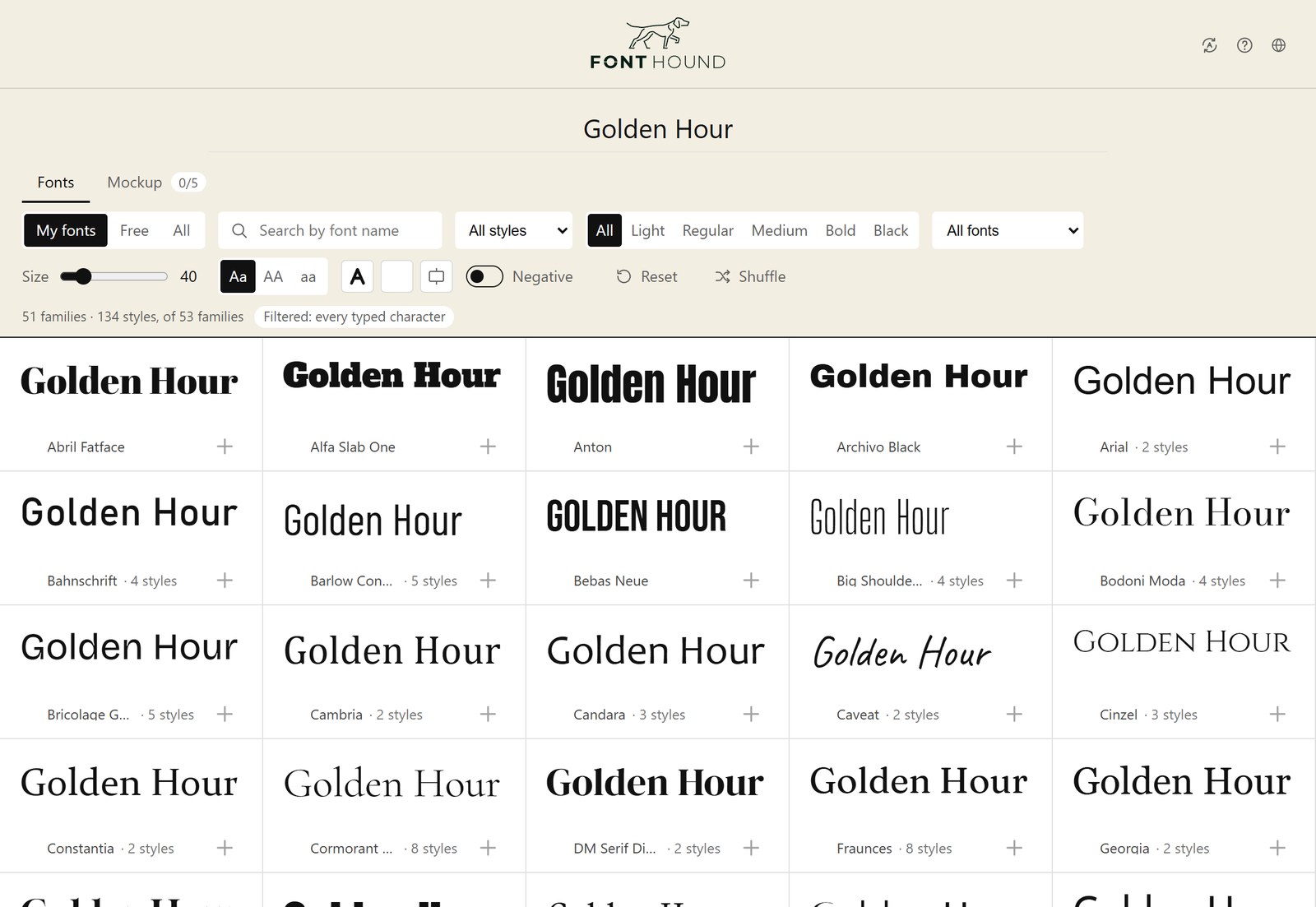
Your title appears in every font on your computer at once. Fonts that can't set it drop out.
2
Pick the one you like.
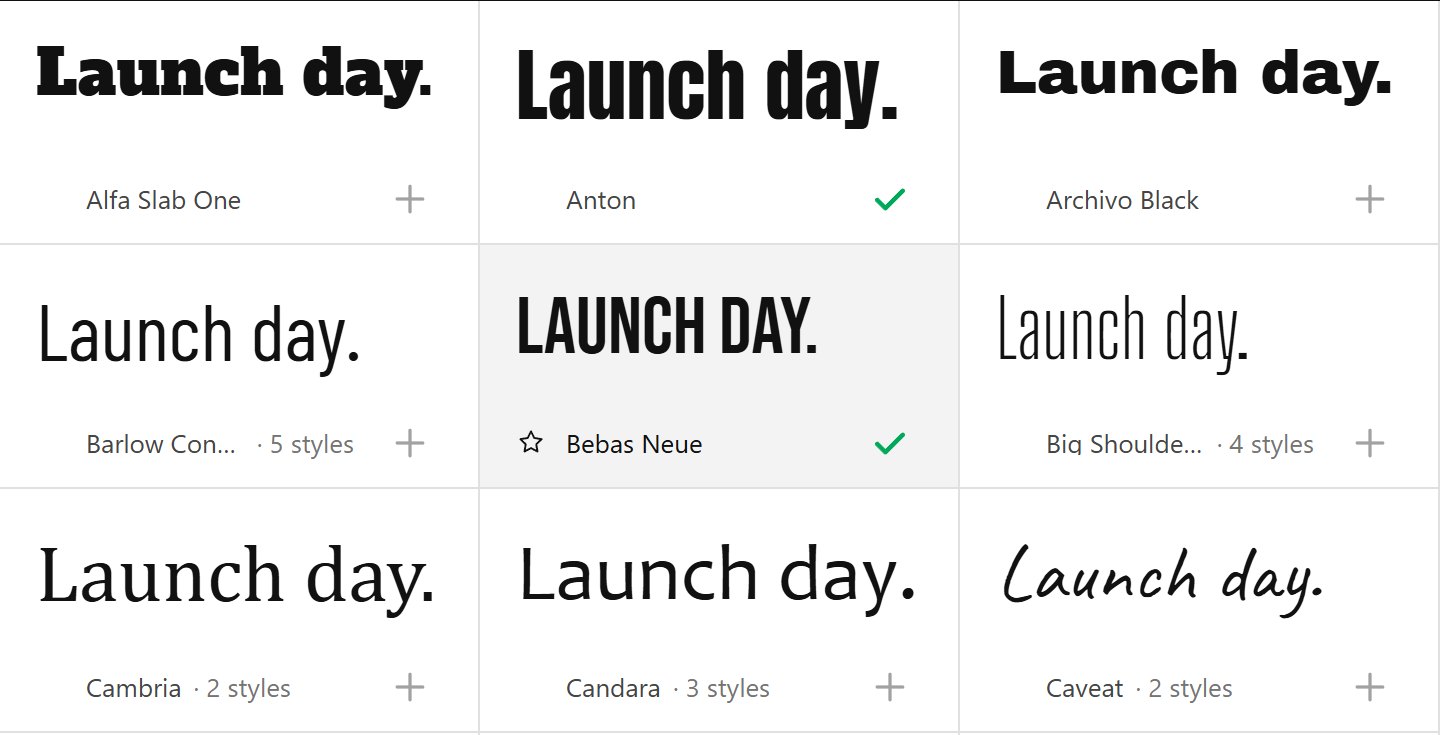
Scroll your fonts on your own text and mark the one you like. Or narrow it to a few, compare them on your frame in Mockup and pick there.
3
Send to AI.
Your marked fonts wait in Mockup. Press Send to AI there and Claude gets their exact names and files. No plugin? Paste it into any AI.
Illustration
LayoutVertical
Options2 of 5
Export image
Send to AI
Sent to AI: 2 fonts
What gets copiedplain text
# Fonts for this video (picked in FontHound)Use these fonts for the titles in this video. Use the exact names below; if a font can't be loaded by name, load it from its file path. Don't substitute other fonts.Title line: Launch day.
## Option 1: AntonPostScript: Anton-Regular · 400
File: C:\Users\you\AppData\Local\Microsoft\Windows\Fonts\Anton-Regular.ttf
## Option 2: Bebas NeuePostScript: BebasNeue-Regular · 400
Look: 170 px (8.85% of frame width) · colour, tracking, stroke, shadow per option
... plus a Remotion / HTML snippet
Illustration of the Mockup's Send to AI button next to Export, a "Sent to AI: 2 fonts" message, and the copied text. It lists Anton and Bebas Neue for the title "Launch day." with their PostScript names and a file location, the look, and the instruction to use these exact fonts.
Connect FontHound to Claude
Claude opens FontHound, waits for your pick, then builds the video in exactly those fonts, in Remotion, HyperFrames or plain HTML. Setup takes a minute.
Official Claude pluginListed in Anthropic’s plugin directory. Made by FontHound.
7 days free, no card. For 64-bit Windows and macOS 11 or later.
Questions
Do I need to be a designer?
No. Seeing your title in every font is enough to know which one is right.
Which AI tools does it work with?
Best with Claude Code on your computer, through the FontHound plugin in Claude’s official plugin directory: Claude opens FontHound, waits for your pick and uses it. Send to AI also works with any assistant you can paste into.
Does it work with Claude on the web or my phone?
Your fonts live on your computer, so the video has to be rendered there. On the web, paste what Send to AI copies, let Claude write the code, then run it on your computer.
Does it upload anything?
No. Everything happens on your computer. Rendering in the cloud? Then you upload the font files there yourself, so check each font’s licence first. Adobe Fonts can’t be uploaded.
I also edit in Premiere Pro, After Effects or DaVinci Resolve.
$19 a year is our current price. If it changes, the new price only applies from your next renewal, and we’ll email you at least 30 days before. A one-time license is paid once and never renews.
Does it work on a Mac?
Yes. FontHound runs on macOS 11 or later, on Apple silicon and Intel Macs. The Claude Code plugin and Send to AI work there just as on Windows.